AutoDesk ACP-01101 Dumps - Pass Autodesk Certified Professional in AutoCAD for Design and Drafting Exam in 2026
The AutoDesk ACP-01101 exam, "Autodesk Certified Professional in AutoCAD for Design and Drafting", is part of the Autodesk AEC Certifications track. It is designed for candidates who work with AutoCAD in real design and drafting environments and want to validate professional-level skills. Earning this certification helps demonstrate practical capability in drawing creation, management, and collaboration workflows. It is a valuable credential for professionals who want to strengthen credibility in design and drafting roles.
#
Exam Topics
Sub-Topics
Approximate Weightage (%)
1
Design annotation and detailing
Dimensions and leaders, text and notes, hatch and symbols
20%
2
Application and drawing management
File organization, drawing setup, properties and standards
20%
3
Author and edit drawing content
Draw and modify geometry, object snaps, blocks and layers
Sharing files, external references, review and coordination
20%
This exam tests more than theory. Candidates need practical AutoCAD knowledge, accuracy with drafting tools, and the ability to manage drawings efficiently under exam conditions. It also measures how well you can apply commands, organize content, and collaborate in a professional design workflow.
Actual AutoDesk ACP-01101 Exam Questions
01Question 1
The exhibit shows a workstation arrangement, with horizontal and vertical dimensions, representing the row and column spacings.
Both dimensions have been placed incorrectly, with one origin point of each dimension being placed in the wrong position.
What command should be used to ensure that the dimension objects are placed accurately?
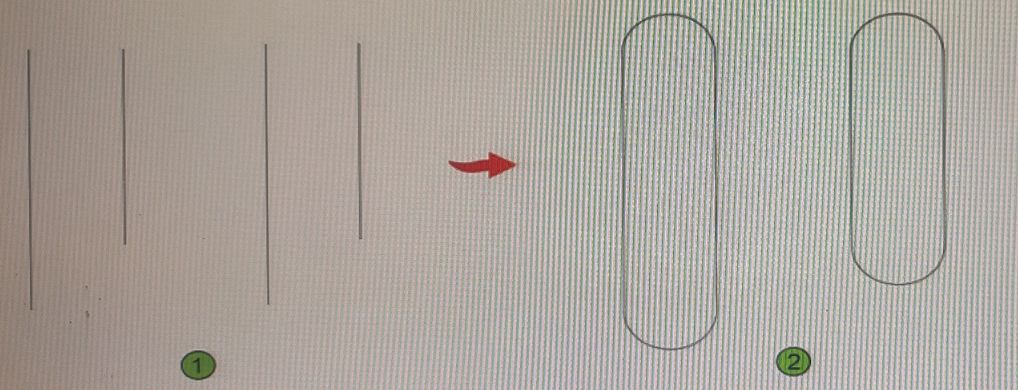
What should be typed at the command line in order to start creating a line for drawing reference that starts at a defined point and extends to infinity in the designated direction?
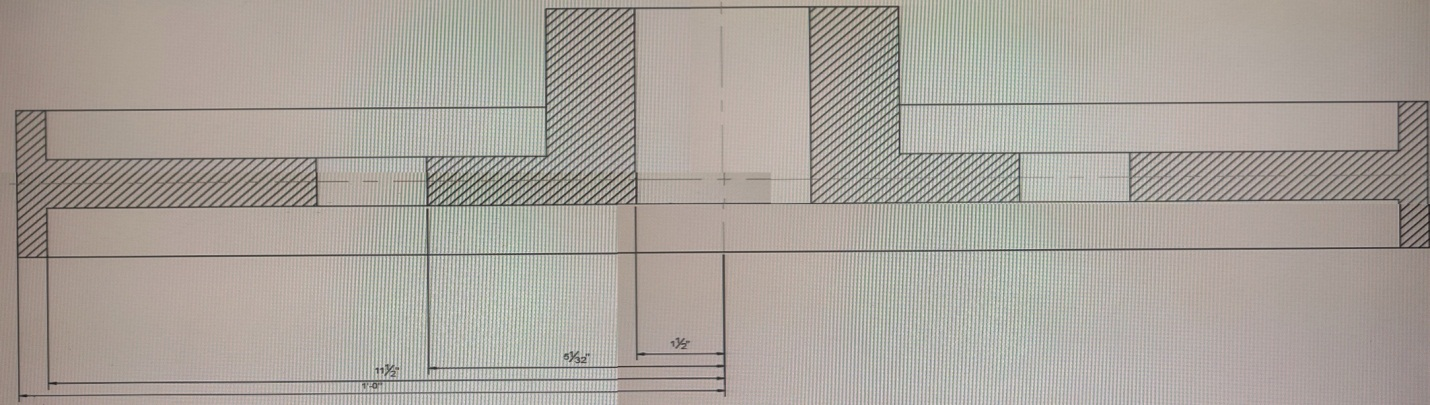
This section view was dimensioned using Baseline Dimensions The dimensions are too close together which impacts the drawing's legibility. What is the most efficient method to avoid this problem in the future?
Correct answer:C
a baseline dimension is a linear, angular, or ordinate dimension that is measured from the baseline of a previous or selected dimension. The spacing between baseline dimensions can be set from the Dimension Style Manager, Lines tab, Baseline Spacing (DIMDLI system variable).
The most efficient method to avoid the problem of dimensions being too close together in the future is to useDimension Style Manager. This will allow you to change the default spacing for all baseline dimensions in your drawing.
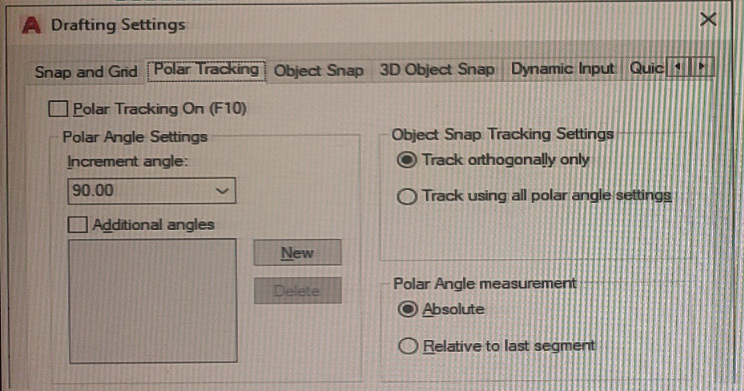
You plan to draw a line at an angle of 6.25 degrees.
Where in the user interface do you configure polar tracking to work at this angle after selecting Polar Tracking On?
Note: Exhibit shown is the AutoCAD interface in Wind. Which the AutoCAD for the Mac version differs in appearance, the correct answers correlate in the options.
Correct answer:A
polar tracking is a feature that allows you to draw lines at specific angles. You can configure polar tracking to work at any angle you want by following these steps:
Click on the arrow next to the Polar Tracking icon in the Status bar and select Settings.
In the Drafting Settings dialog box, click on the Polar Tracking tab.
Under Additional Angles, click on New and enter 6.25 as the angle value. Click OK.
Make sure that 6.25 is checked in the list of additional angles. Click OK.
Now you can draw a line at an angle of 6.25 degrees by using polar tracking.
→
Unlock all AutoDesk ACP-01101 questions
Full exam access, validated answers, and unlimited practice with no download limits.
QA4Exam.com offers the Exam PDF with actual questions and answers plus an Online Practice Test for the AutoDesk ACP-01101 exam. These materials help you study with a format that mirrors the real exam, so you can build confidence before test day. The content is updated to stay relevant, and the verified answers help you check your understanding quickly. With practice in a timed environment, you can improve time management and reduce exam stress. This focused preparation can help you move toward passing the AutoDesk ACP-01101 exam on your first attempt.
FAQ
1. Who should take the AutoDesk ACP-01101 exam?
This exam is for candidates who use AutoCAD for design and drafting and want to earn a professional certification under Autodesk AEC Certifications. It is suitable for people who want to validate practical skills in a real-world workflow.
2. Is the AutoDesk ACP-01101 exam difficult?
It can be challenging because it focuses on hands-on AutoCAD skills, drawing management, and accurate application of commands. Candidates with practical experience usually find it easier to handle.
3. Can I pass with only braindumps?
Braindumps alone are not the best approach. You should combine them with hands-on practice and a clear understanding of the exam topics to improve your chances of passing.
4. Do I need hands-on experience for ACP-01101?
Yes, hands-on experience is strongly recommended. The exam is built around practical AutoCAD tasks, so real usage helps you answer questions more confidently and accurately.
5. Are QA4Exam.com dumps enough, or do I need other resources?
QA4Exam.com dumps and the Online Practice Test are strong preparation tools, but the best results come when you use them together with your own AutoCAD practice and topic review. This gives you both exam familiarity and real skill depth.
6. How do the QA4Exam.com Exam PDF and Practice Test help with first-attempt success?
They help you study with actual questions and answers, practice in a realistic exam format, and improve time management. This combination can make your preparation more efficient and support first-attempt success.
7. Do the QA4Exam.com materials include verified answers?
Yes, the Exam PDF and Online Practice Test are presented with verified answers so you can review your responses and learn more effectively before the exam.