Limited-Time Offer: Enjoy 50% Savings! - Ends In 0d 00h 00m 00s Coupon code: 50OFF
Welcome to QA4Exam
Logo

- Trusted Worldwide Questions & Answers

Most Recent NetApp NS0-593 Exam Dumps


Prepare for the NetApp certified support engineer - ONTAP specialist exam with our extensive collection of questions and answers. These practice Q&A are updated according to the latest syllabus, providing you with the tools needed to review and test your knowledge.

QA4Exam focus on the latest syllabus and exam objectives, our practice Q&A are designed to help you identify key topics and solidify your understanding. By focusing on the core curriculum, These Questions & Answers helps you cover all the essential topics, ensuring you're well-prepared for every section of the exam. Each question comes with a detailed explanation, offering valuable insights and helping you to learn from your mistakes. Whether you're looking to assess your progress or dive deeper into complex topics, our updated Q&A will provide the support you need to confidently approach the NetApp NS0-593 exam and achieve success.

The questions for NS0-593 were last updated on Apr 22, 2026.
  • Viewing page 1 out of 12 pages.
  • Viewing questions 1-5 out of 60 questions
Get All 60 Questions & Answers
Question No. 1

A customer reports that while Installing Windows updates on their external Vscan servers, clients could not access any files on their CIF-S SVM. The problem disappeared after the update process was completed. The customer wants to prevent this issue from happening during the next patch window.

In this scenario, what are two ways to accomplish this task? (Choose two.)

Show Answer Hide Answer
Correct Answer: B, D

Updating the Vscan servers one at a time can prevent the clients from losing access to the files on the CIFS SVM, as there will always be at least one Vscan server available for scanning. Disabling the -scan-mandatory flag in the Vscan policy can also avoid the issue, as it allows the clients to access the files even if there are no Vscan servers online, but this may compromise the security of the data. Enabling the -scan-mandatory flag or modifying the CIFS shares to be CA shares will not help, as they do not affect the availability of the Vscan servers or the scanning process.Reference=Vscan server installation and configuration,Update the Vscan On-Access policy configuration for an SVM


Question No. 2

After a motherboard replacement on a NetApp AFF A300 in a SAN environment, the customer states that ports 0e and 0f are unable to connect to the fabric. The ports report "offline".

What would you examine first to troubleshoot the issue?

Show Answer Hide Answer
Correct Answer: B

Here is my reasoning:

Thesystem node hardware unified-connect showcommand displays the status and configuration of the Unified Connect ports on a node1. This command can help you identify if the ports are configured correctly and if they have any errors or faults.

The ports 0e and 0f on the AFF A300 are 10GbE ports that support both Ethernet and Fibre Channel over Ethernet (FCoE) protocols2.These ports are part of the Unified Connect feature, which enables you to use the same physical port for different protocols without requiring additional hardware3.

If the ports are offline, it could indicate a problem with the port configuration, the cable connection, the switch configuration, or the protocol settings.Thesystem node hardware unified-connect showcommand can help you troubleshoot these issues by showing you the port mode, speed, duplex, state, and error count1.

The other commands in the options are not as helpful for troubleshooting the port issue, because they show different information that is not related to the Unified Connect feature or the port status. For example:

Thevserver fcp wwpn-alias showcommand displays the World Wide Port Name (WWPN) aliases for the Fibre Channel Protocol (FCP) logical interfaces (LIFs) on a Vserver4. This command can help you manage the FCP LIFs, but it does not show the status of the physical ports or the Unified Connect feature.

Thestorage port showcommand displays the status and configuration of the storage ports on a node5. This command can help you manage the storage ports, but it does not show the status of the Unified Connect ports or the FCoE protocol.

Thevserver fcp interface showcommand displays the status and configuration of the FCP LIFs on a Vserver6. This command can help you manage the FCP LIFs, but it does not show the status of the physical ports or the Unified Connect feature.

Here are some references that might help you:

1:system node hardware unified-connect show - NetApp2:AFF A300 system installation - NetApp3:Unified Connect - NetApp4:vserver fcp wwpn-alias show - NetApp5:storage port show - NetApp6:vserver fcp interface show - NetApp


Question No. 3

You Just used the CLI to create a NetApp ONTAP FlexGroup Volume on a NetApp Cloud Volumes ONTAP instance. After creation, you notice odd behavior in NetApp Cloud Manager.

In this scenario, what Is the reason for this behavior?

Show Answer Hide Answer
Correct Answer: B

= According to the NetApp Knowledge Base1, while Cloud Volumes ONTAP supports FlexGroup volumes, Cloud Manager does not. If you create a FlexGroup volume from System Manager or from the CLI, then you should set Cloud Manager's Capacity Management mode to Manual. Automatic mode might not work properly with FlexGroup volumes.The other options are incorrect because Cloud Volumes ONTAP does support FlexGroup volumes2, the Capacity Management Mode should not be set to Automatic, and Cloud Manager is not required to provision the FlexGroup volume3.Reference=1,2,3


Question No. 4

You created a new NetApp ONTAP FlexGroup volume spanning six nodes and 12 aggregates with a total size of 4 TB. You added millions of files to the FlexGroup volume with a flat directory structure totaling 2 TB, and you receive an out of apace error message on your host.

What would cause this error?

Show Answer Hide Answer
Correct Answer: D

The maxdirsize is the maximum size of a directory in a FlexVol or FlexGroup volume. It is determined by the number of inodes allocated to the directory. If the directory contains more files than the maxdirsize can accommodate, then the ONTAP software will return an out of space error message to the host, even if the volume has enough free space.This can happen when a FlexGroup volume has a flat directory structure with millions of files, as the maxdirsize is not automatically adjusted for FlexGroup volumes12.Reference:1: FlexGroup volumes: Frequently asked questions | NetApp Documentation2: How to increase the maxdirsize of a FlexVol volume - NetApp Knowledge Base


Question No. 5

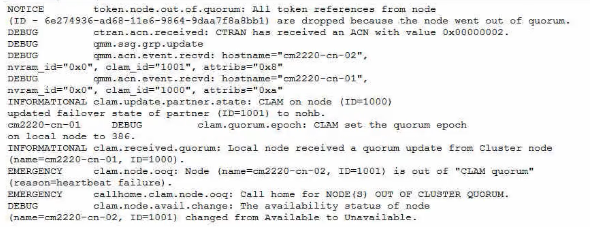
An administrator receives the following error message:

What are two causes for this error? (Choose two.)

Show Answer Hide Answer
Correct Answer: A, D

The error message ''wafl.cp.toolong:error'' indicates that a WAFL consistency point (CP) took longer than 30 seconds to complete. A CP is a process that flushes the data from the NVRAM buffer to the disk.A long CP can cause latency and performance issues for the system1

One possible cause for a long CP is excessive SSD load causing the wear leveling to become unbalanced. Wear leveling is a technique that distributes the write operations evenly across the SSD cells to extend the lifespan of the SSD.If some SSD cells are written more frequently than others, the wear leveling will become unbalanced and the SSD performance will degrade2

Another possible cause for a long CP is an SSD disk performing garbage collection to create a dense data layout. Garbage collection is a process that reclaims the space occupied by invalid or deleted data on the SSD.Garbage collection can improve the write performance and storage efficiency of the SSD, but it can also consume CPU and disk resources and cause long CPs3

A disk failing or being failed is not a likely cause for a long CP, because the system will automatically mark the disk as failed and remove it from the aggregate.The system will also initiate a disk reconstruction or a RAID scrub to restore the data protection and redundancy4

There is no evidence that the system has SATA HDDs, so there is no reason to assume that there is excessive SATA HDD load.Moreover, SATA HDDs are usually used for secondary or backup storage, not for primary or performance-sensitive workloads5


1: Are long Consistency Points (wafl.cp.toolong) normal?- NetApp Knowledge Base2: How to troubleshoot SSD performance issues - NetApp Knowledge Base3: How to troubleshoot SSD garbage collection issues - NetApp Knowledge Base4: How to troubleshoot disk failures and replacements - NetApp Knowledge Base5: ONTAP 9 - Hardware Universe - The Open Group

Unlock All Questions for NetApp NS0-593 Exam

Full Exam Access, Actual Exam Questions, Validated Answers, Anytime Anywhere, No Download Limits, No Practice Limits

Get All 60 Questions & Answers