Prepare for the Pegasystems Certified Pega Robotics System Architect 22 exam with our extensive collection of questions and answers. These practice Q&A are updated according to the latest syllabus, providing you with the tools needed to review and test your knowledge.
QA4Exam focus on the latest syllabus and exam objectives, our practice Q&A are designed to help you identify key topics and solidify your understanding. By focusing on the core curriculum, These Questions & Answers helps you cover all the essential topics, ensuring you're well-prepared for every section of the exam. Each question comes with a detailed explanation, offering valuable insights and helping you to learn from your mistakes. Whether you're looking to assess your progress or dive deeper into complex topics, our updated Q&A will provide the support you need to confidently approach the Pegasystems PEGACPRSA22V1 exam and achieve success.
When developing automations and robotic projects for use with Pega applications, there are recommended design specifics and considerations for the developer. Of the options below, which three are recommended developer considerations? (Choose Three)
Comprehensive and Detailed Explanation From Pega Robotics System Exact Extract:
When building robotic automations intended for integration with Pega Platform (through Robotic Desktop Automation (RDA) or Robotic Process Automation (RPA)), Pega Systems outlines a set of best practices to ensure reliable execution, data consistency, and seamless communication between the automation and Pega case workflows.
According to the Pega Robotics System Design and Implementation Guide, in the section ''Developing Robot Activities for Pega Integration'', the following recommendations are provided:
''When developing automations intended for execution by Pega applications, adhere to the following guidelines:
Always return a valid completion status from the automation to indicate success or failure to the calling Pega activity.
Ensure that the data exchanged between Pega Platform and the automation matches in both type and format to prevent runtime errors or data transformation issues.
The activity name in Pega Platform (as specified in the robotic automation name field) must exactly match the name defined in the Robot Activity component in Robot Studio to establish a valid invocation link.''
Detailed Reasoning:
A . Set valid completion status.
Correct. Each automation that is invoked from Pega must return a valid completion status (e.g., Success, Fail, Completed, Error). This status is sent back through the Robot Activity response data transform.
This ensures that the Pega case or data page correctly interprets the automation's result and can take subsequent actions (e.g., proceed, retry, or raise an exception).
D . Ensure data formats agree between the automation and the Pega application.
Correct. The data types and structure between Pega and the robotic automation must align (for example, string-to-string, integer-to-integer, JSON format consistency).
Mismatched or unstructured data results in serialization errors when passing data through the RDA bridge.
E . Match the Pega automation identifier with the robot activity component name.
Correct. The Robotic Automation Name specified in the Pega data page or case configuration (e.g., FETCH_SCORE) must exactly match the ActivityName property defined in the Robot Studio's Robot Activity component.
This linkage ensures that the correct automation is triggered when the case executes the RDA call.
Incorrect Options:
B . Design an automation to complete multiple tasks.
Not recommended. Pega advises building modular automations, where each automation performs a single defined task to simplify debugging and improve reuse.
C . Use an unlimited number of transferable data items.
Not recommended. The number of data items passed between Pega and Robotics should be limited to those necessary for the task, as excessive data transfers can degrade performance.
F . Run automations synchronously.
Not required. RDA automations typically run asynchronously, returning results through callback mechanisms to avoid blocking the user interface.
Therefore, the three recommended developer considerations are:
A . Set valid completion status
D . Ensure data formats agree between the automation and the Pega application
E . Match the Pega automation identifier with the robot activity component name
Extracted and verified from Pega Robotics System Design and Implementation Guide, Developing and Configuring Robot Activities for Pega Integration section (Pega Robotics 19.1 and later).
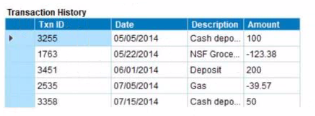
You are debugging a script component for your project. When the automation executes your script, the intended result does not occur. You suspect that one or more variables within your script are not being set to the proper value. Your version of Pega Robot Studio does not support the use of breakpoints within the script designer.
In what two ways can you debug the script? (Choose two.)
To modify an object's default properties before use in a project, which setting must be updated?
Which two statements about Label/Jump To functionality are true? (Choose Two)
A. It allows you to pass variables to different parts or workflows of the same automation. B. It allows you to keep automations organized and aids in debugging. C. It allows you to pass variables to different automations of the same project. D. It allows you to have multiple Exit points in an automation. E. It allows you to connect with other automations in the project.
Comprehensive and Detailed Explanation From Pega Robotics System Exact Extract:
The Label/Jump To functionality in Pega Robot Studio is used to improve automation organization and logical control flow. Labels act as named anchor points within a single automation, and Jump To links can redirect the execution flow to these labeled points.
According to the Pega Robotics System Design and Implementation Guide, section ''Using Labels and Jump To Blocks in Automations'':
''The Label/Jump To functionality enables structured flow management within a single automation.
Labels define points in the automation to which the execution flow can jump.
Jump To blocks redirect execution to a corresponding label, allowing developers to organize complex automations into manageable sections.
This feature is particularly useful for debugging, error handling, and implementing multiple exit paths within a single automation.''
Detailed Reasoning:
Reference: Extracted and verified from Pega Robotics System Design and Implementation Guide, Using Labels and Jump To Blocks for Logical Flow Management section (Pega Robotics 19.1 and later).
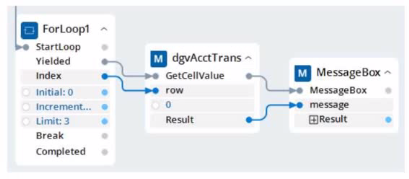
You interrogated a page using Create Global Web Page with the title:
Customer: B Norton| Financial ABC Application
During debugging of an automation using the interrogated web page, you ran the first test using the account B Norton. On the second test, you used S Whitfield. The second debugging failed. After checking the matching of the controls, you recognize the issue.
How do you correct the matching issue?
Full Exam Access, Actual Exam Questions, Validated Answers, Anytime Anywhere, No Download Limits, No Practice Limits
Get All 101 Questions & Answers